



Conditions allow you to check specific characteristics of your contacts or your emails and route the Flow down one path or another. Unlike events, which wait for something to happen within a defined time frame, conditions perform an immediate check: the Flow continues instantly down the Yes path if the condition is met, or the No path if it isn’t.
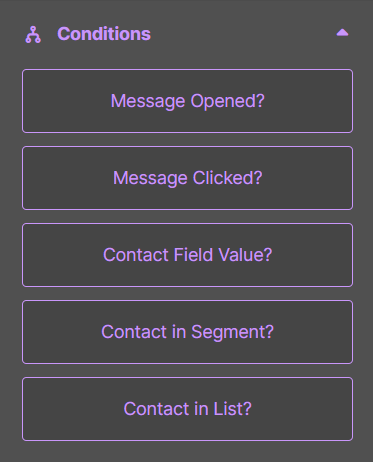
- Message Opened?: The Flow continues down Yes if the contact has opened a specific email, No otherwise. Useful for sending a follow-up only to contacts who have actually read a previous communication.
- Message Clicked?: Checks whether the contact has clicked on a link within a specific email. Useful for tracking interest in specific content and triggering relevant actions, such as adding the contact to a dedicated nurturing Flow.
- Message Delivered?: The Flow continues down Yes if a specific email has been successfully delivered to the contact’s inbox. Useful for ensuring that subsequent actions only start after delivery is confirmed.
- Form Submitted?: Moves to the Yes path if the contact has filled out and submitted a specific form. Useful for triggering personalized paths based on actions taken on your forms.
- Contact Field Value?: Evaluates a contact profile field against a specific condition, such as geographic location or job role. Useful for personalizing the path based on the contact’s data.
- Contact in Segment?: Checks whether the contact belongs to a specific segment. Useful for ensuring that only contacts meeting specific criteria continue down the Flow.
- Contact in List?: Checks whether the contact is present in a specific list. Useful for managing paths based on membership in specific distribution lists.
Here’s the list of parameters available for each condition:
| Condition | Parameters | Meaning of the Parameters |
|---|---|---|
| Message Opened? | Type of message | Campaign |
| Message | Which message must have been opened for the condition to be true | |
| Message Clicked? | Type of message | Campaign |
| Message | The message that contains a link | |
| Any link | The Flow continues with “Yes” if the contact clicks on any link in the message, otherwise with “No” | |
| Specific link | The Flow continues with “Yes” if the contact clicks on a specific link, which must be indicated | |
| Message Delivered? | Type of message | Campaign |
| Message | Which message must have been delivered for the condition to be true | |
| Form Submitted? | Form | Which form must have been submitted for the condition to be true |
| Contact Field Value? | List | The list the contact must belong to |
| Contact field | Which contact field must have a certain value for the condition to be true | |
| Comparator | A series of conditions (is, is not, contains, etc.) | |
| Value | The value to compare with the comparator | |
| Contact in Segment? | List | The list the contact must belong to |
| Segment | In which segment the contact must be present for the condition to be true | |
| Contact in List? | List | In which list the contact must be present for the condition to be true |