Share the campaign

With “Share the campaign” you generate a public link to show a campaign to anyone, without them needing an Emailchef account or you having to share your login credentials.

Everything you need to know about the "Share the campaign" feature

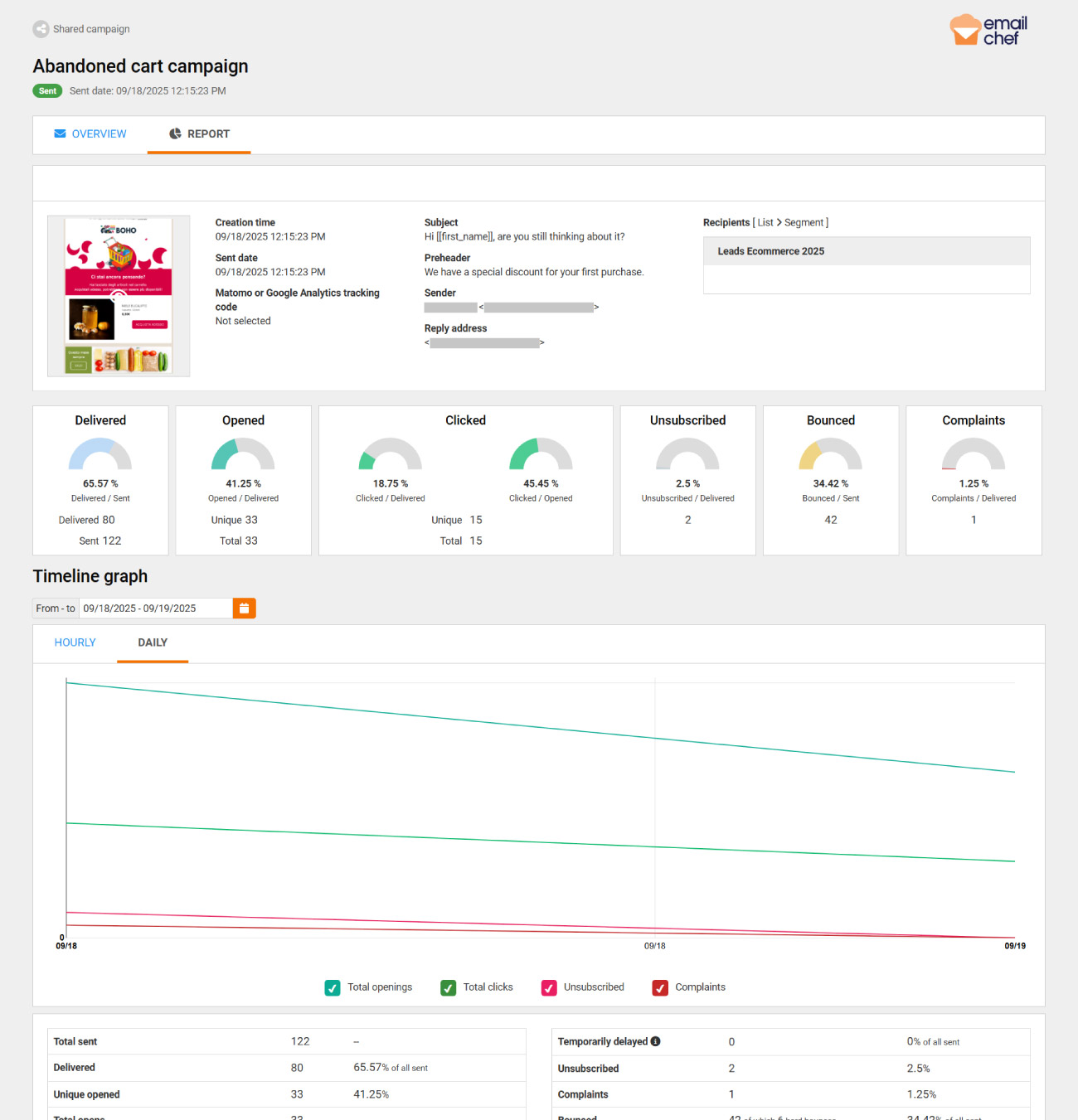
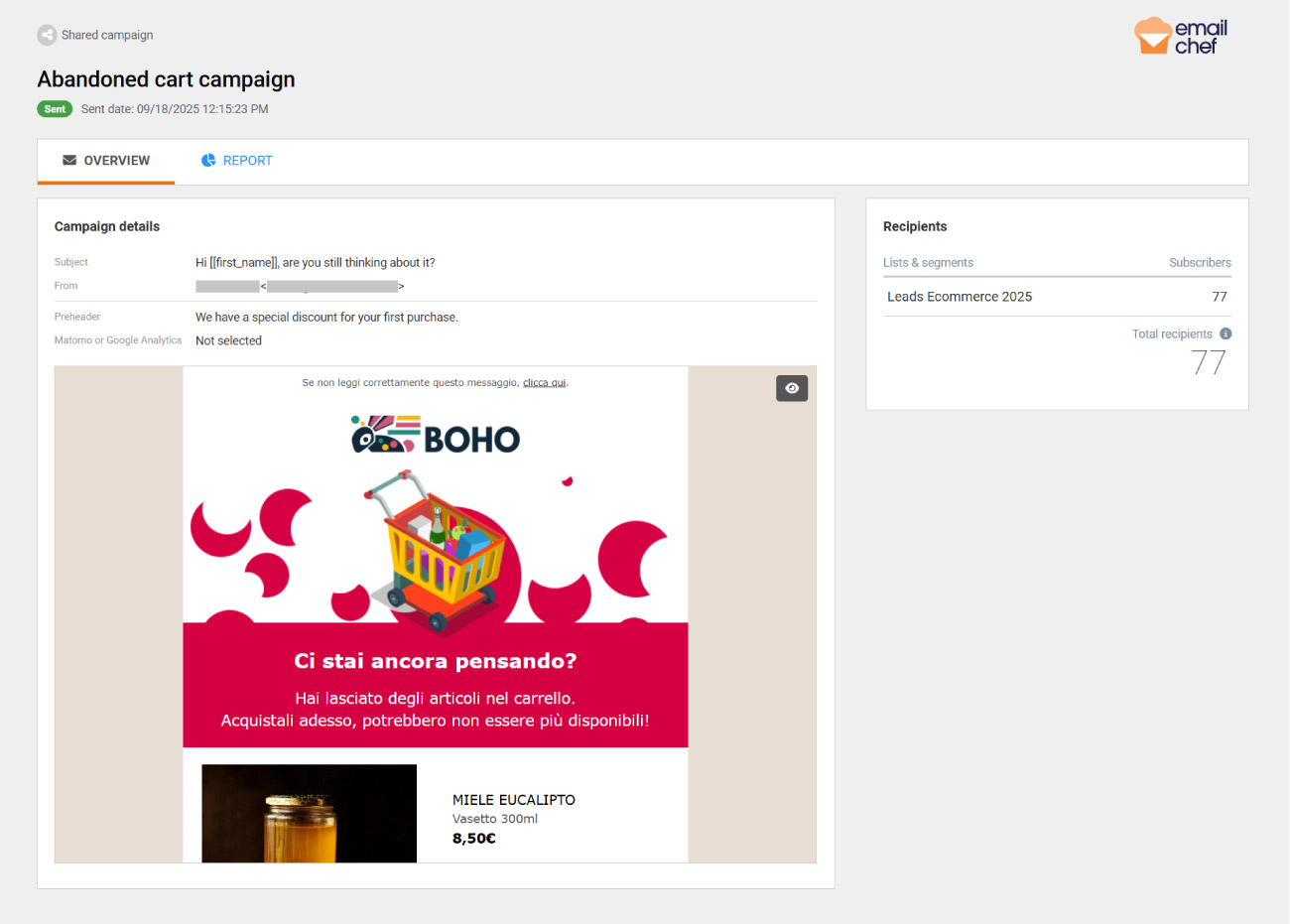
With “Share the campaign” you create a public link that anyone can open to view a campaign, without needing an Emailchef account. The link shows the layout, subject line, sender, recipients, and other details. If the campaign has already been sent, it also includes its performance report.

It’s a convenient way to get a draft approved by showing it as a live preview, or to share the results of a campaign you just sent without exporting screenshots or PDFs.

The link updates with every change: this way, people will always see the latest version of your campaign, or the latest report for a sent email.
How to access the "Share the campaign" feature

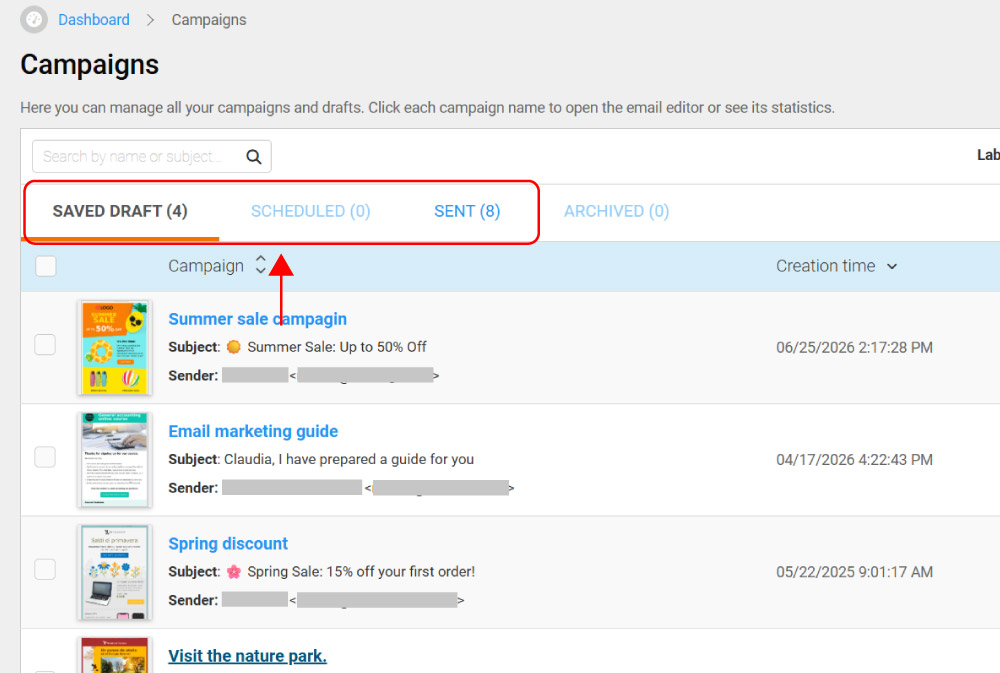
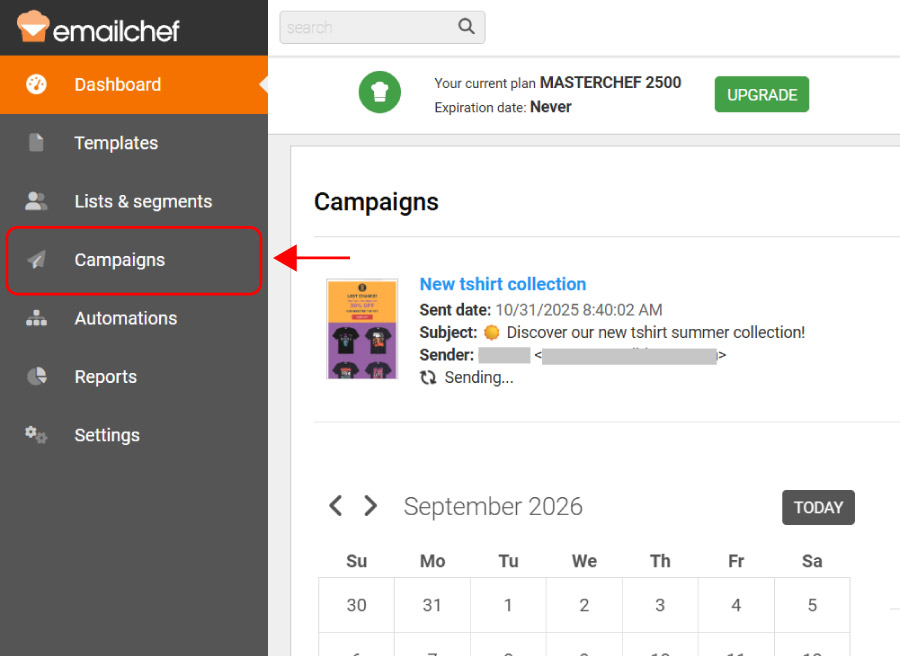
To share your campaign’s link, first log in to your account and go to Campaigns in the menu on the left side of the platform.

Select the tab that matches the status of the campaign you want to share: Saved drafts, Scheduled or Sent. Archived campaigns can’t be shared: restore them first if you need to generate a link.

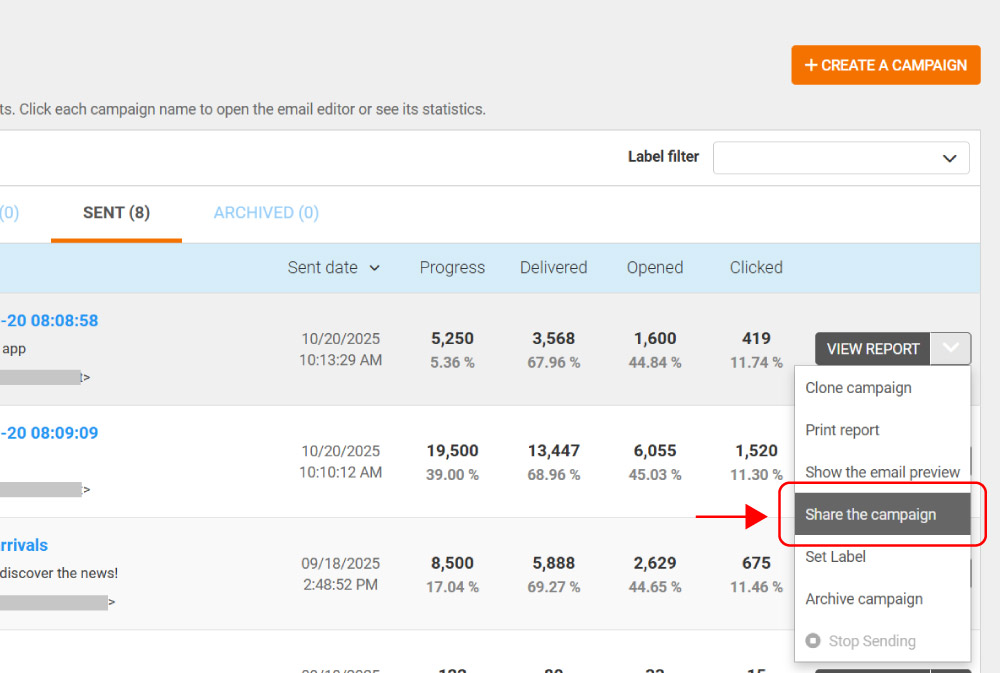
Open the dropdown menu on the right side of the campaign and click Share the campaign.

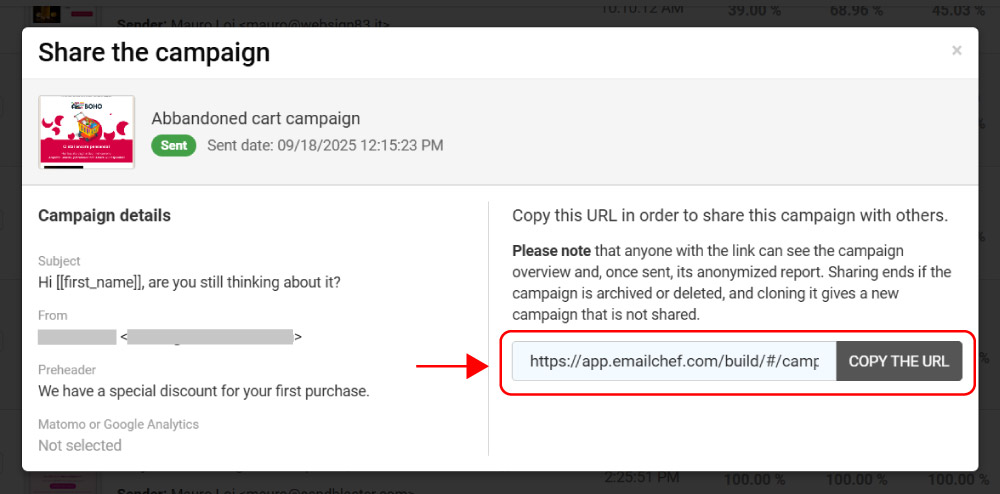
Select Copy the URL to save the link: you can now share it with anyone you like.

Share the stats of campaigns you've already sent

Besides the preview, subject line, sender, and other email details, anyone who opens the link of an already-sent campaign will also see performance metrics: opens, clicks, unsubscribes, click maps, device data, and more.

Personal data about your subscribers is always excluded, to guarantee privacy and GDPR compliance.

⚠️ The link does still show the names of the lists and segments involved, along with their subscriber counts.

The campaign link updates in real time

You don’t need to generate a new link every time something changes. If you edit a draft, the link immediately reflects your latest changes; if new data comes in for a campaign that’s already been sent (new opens, clicks, etc.), the report updates accordingly. Whoever has the link always sees the most up-to-date version, without you having to do anything.

How to stop sharing the link

Once generated, the link stays active indefinitely. If you want to stop it from working, archive or delete the linked campaign. If you later restore an archived campaign, the link automatically becomes active again.