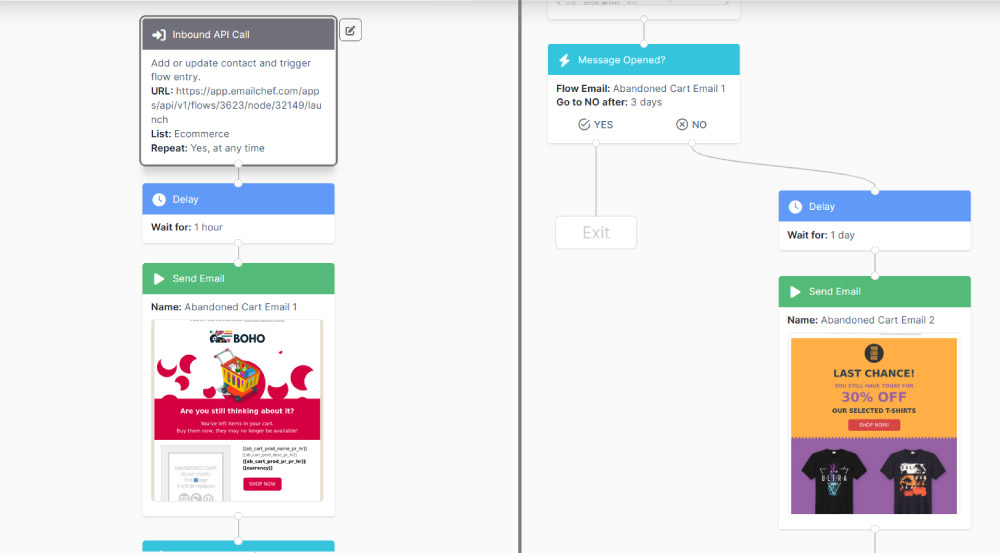
The flow is triggered when an external platform (such as your e-commerce store or CRM) sends contact data to Emailchef via a POST request.
In the case of cart abandonment, your store notifies Emailchef that a contact added products without completing the purchase.
To configure it:
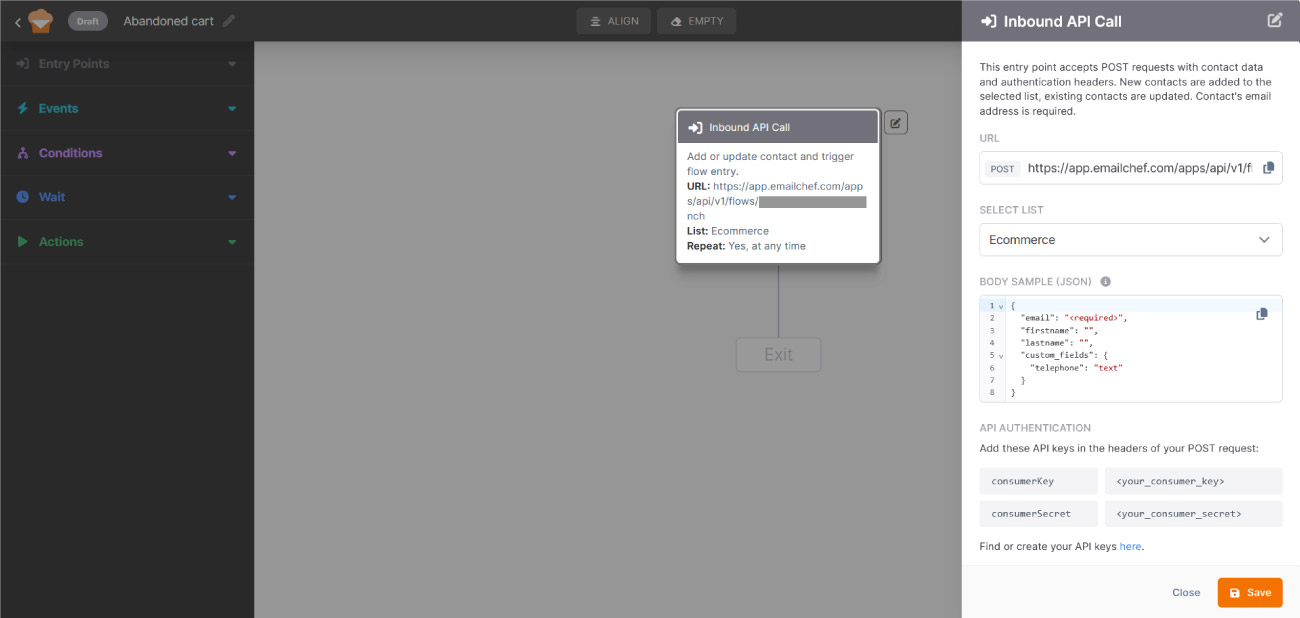
- Copy the predefined URL.
Emailchef automatically generates a dedicated URL for the API call. Copy it and paste it into the external platform you want to send data from.
- Select the list.
Choose the list where you want contacts to be registered or updated.
- Configure the request body.
The call must include contact data in JSON format. The only required field is the email address; other fields (first name, last name, custom fields) are optional and can be mapped to match your Emailchef list fields.
- Set up API authentication.
In the POST request header, include your API keys (Consumer Key and Consumer Secret) to ensure data sent from the external platform is accepted and stored securely. For more information, read How to generate API keys with Emailchef.
- Set “Repeat flow”.
By default, each contact goes through the flow only once. If you want the same contact to re-enter the flow every time they meet the entry condition again (for example, if they abandon their cart in a second session) enable the Repeat flow switch.
Click Save to confirm the configuration.
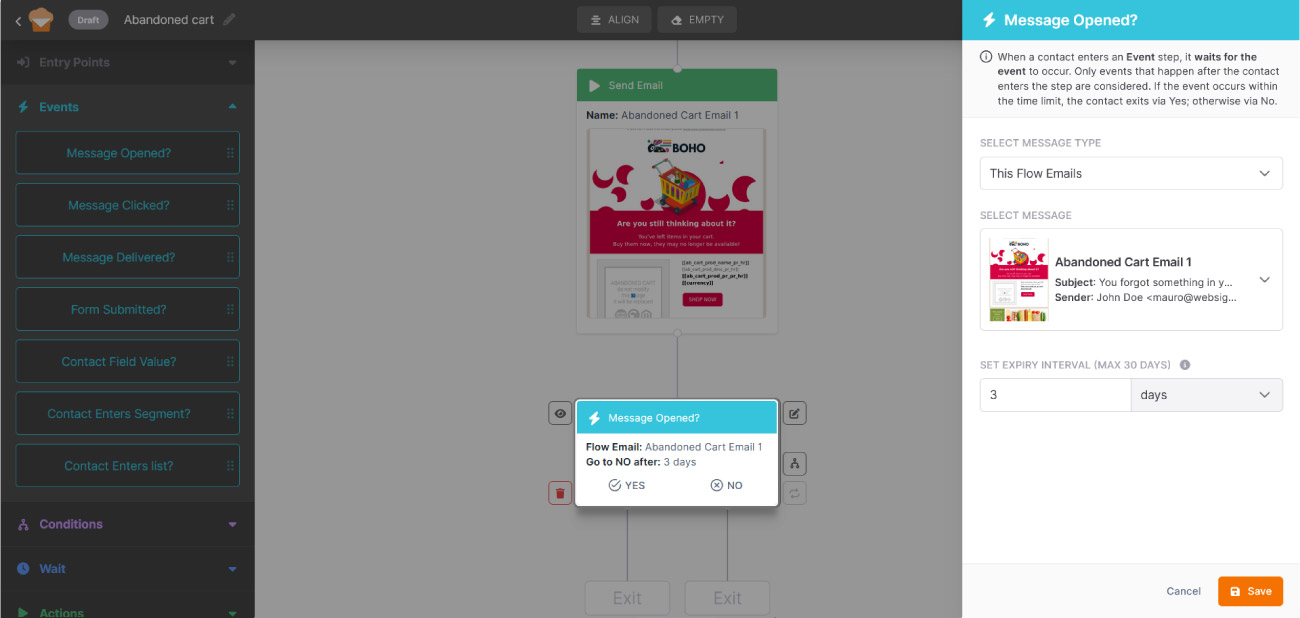
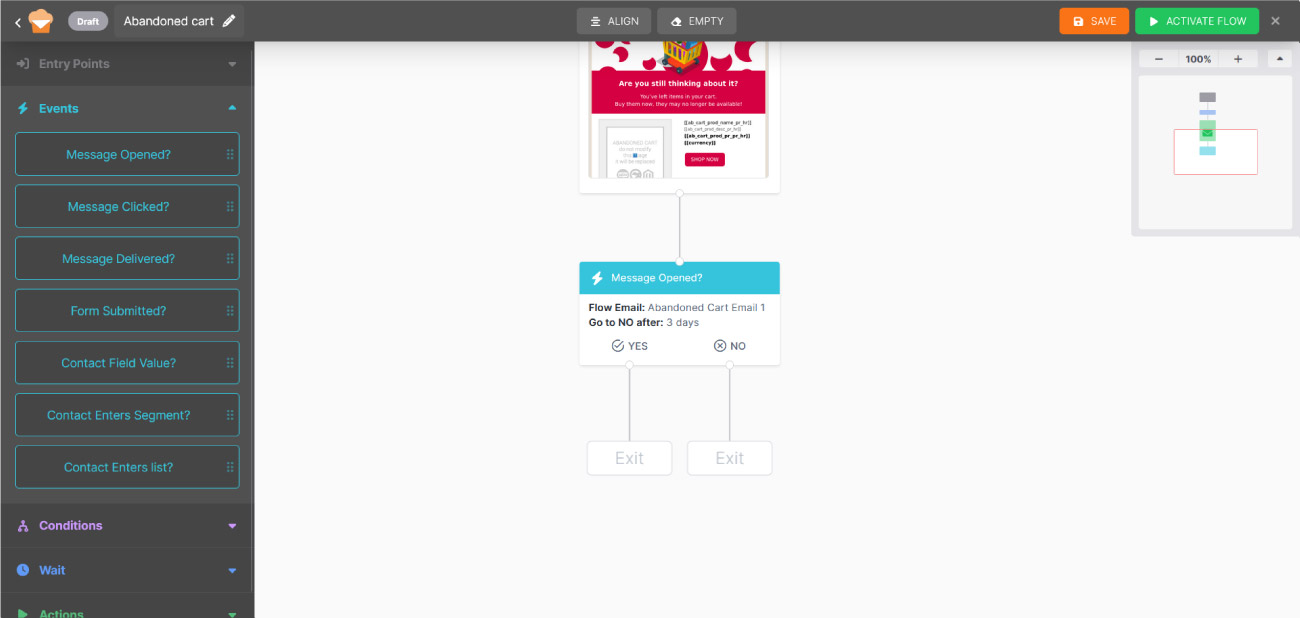
In this step, the system monitors whether the contact opens the email within a defined period. Only events that occur after the contact enters the step are considered.
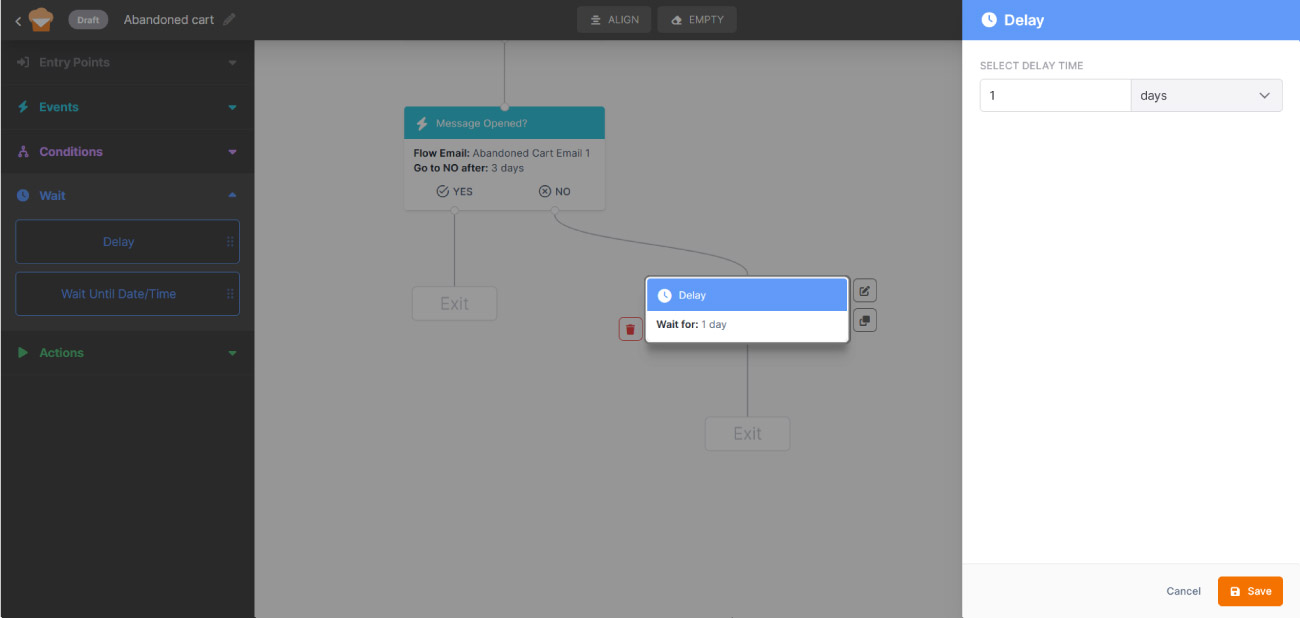
Select This Flow emails as the message type and choose the reminder email sent in the previous step. Then set the wait interval: you can choose from 1 to 30 days, depending on how long you want to give the contact to open the email before the system moves them to the No branch.
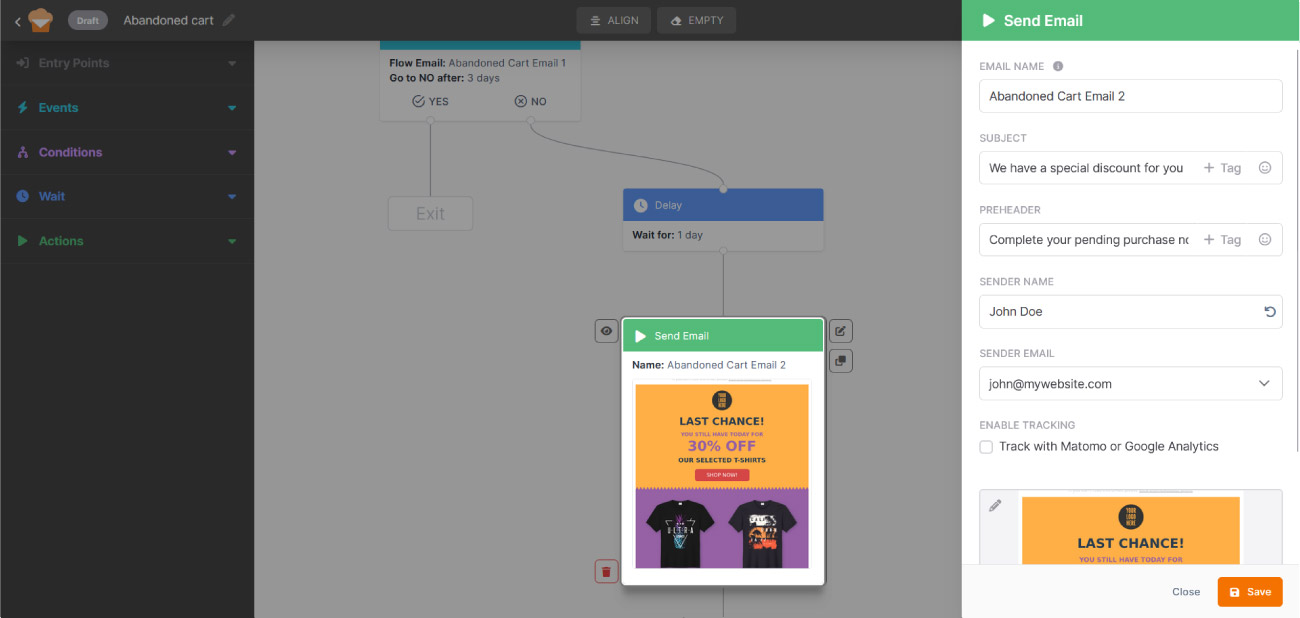
Fill in the details and select a template for the second email, sent only to contacts who didn’t open the reminder. This is the moment to add a concrete incentive (a discount, free shipping) to help them make the final decision.