How to Re-engage Inactive Contacts with an Automated Email Flow

Over time, a portion of your list will stop opening your emails. This flow identifies dormant contacts and attempts to reactivate their interest before automatically unsubscribing them.

How to set up a re-engagement flow:

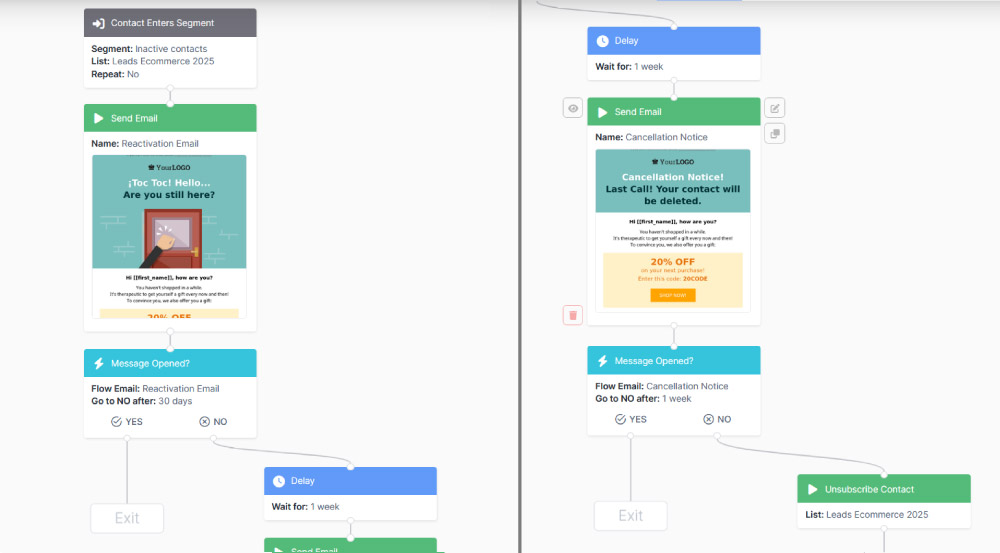
Entry point: contact enters segment.

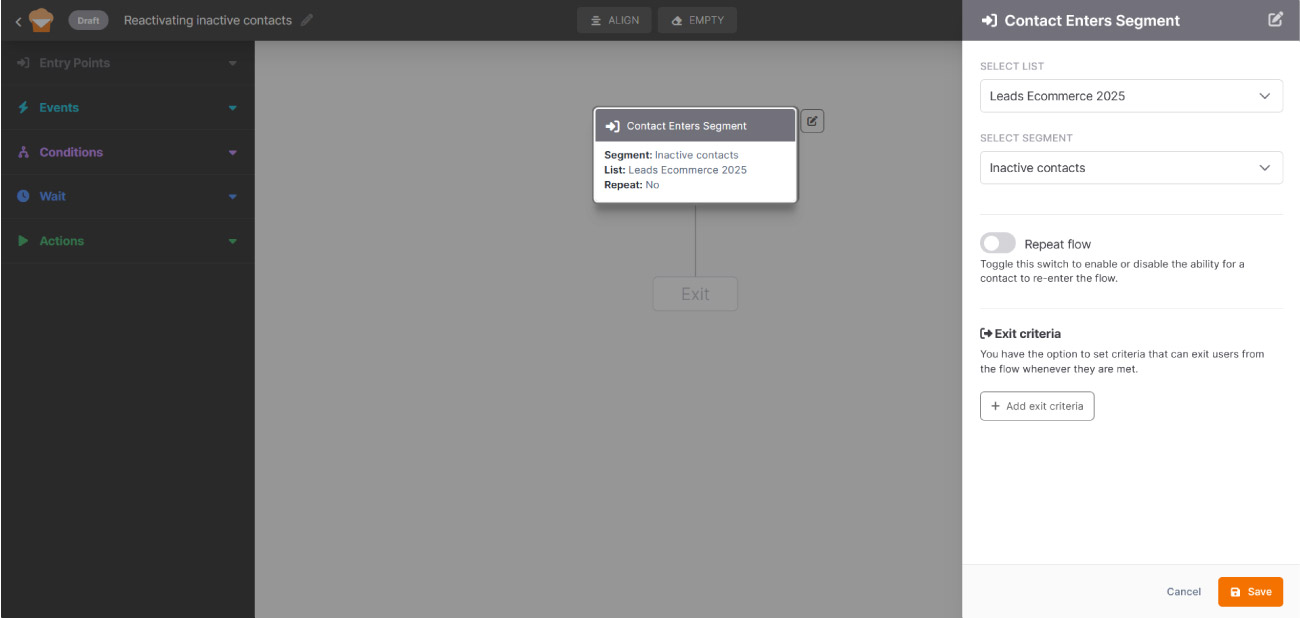
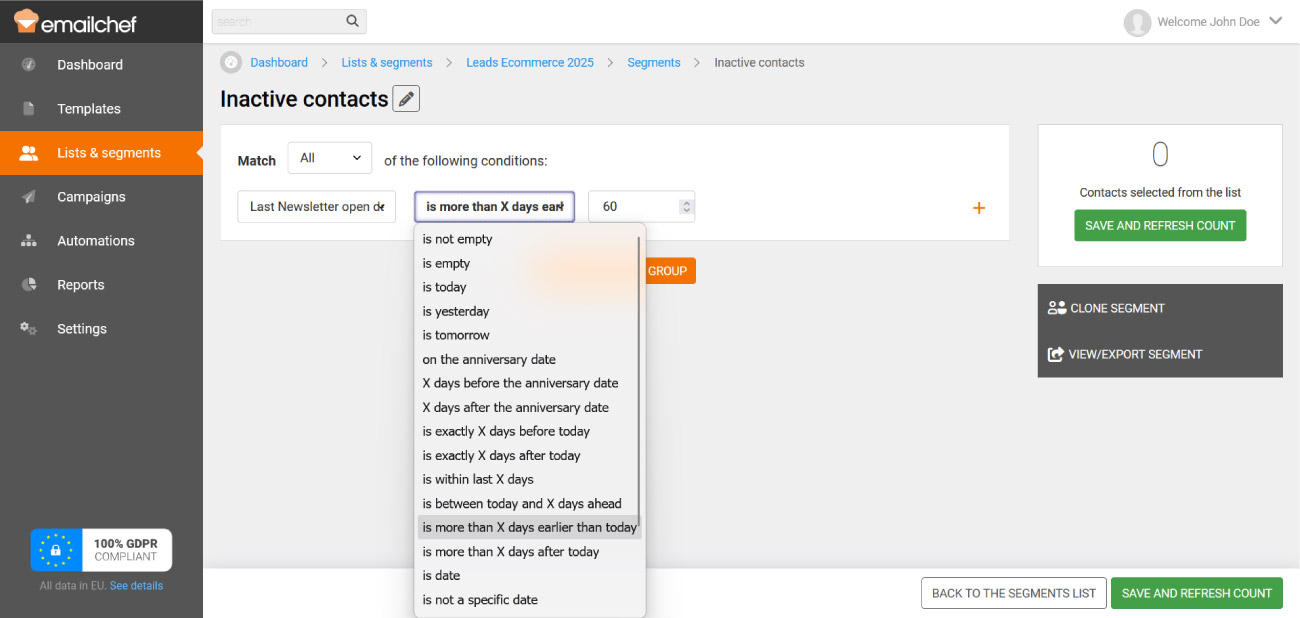
The flow starts when a contact enters the inactive contacts segment. Before configuring this step, create a segment in Emailchef with the filter “Last newsletter open date is more than 60 days earlier today.” This way, any contact who hasn’t opened your emails for 60 or more days will automatically enter the segment.

To configure the Contact enters segment step, select the list where the inactive segment is located. Then choose the segment you created from the dropdown menu. The flow will trigger automatically every time a contact enters that segment. Click Save to confirm.

Action: send email.

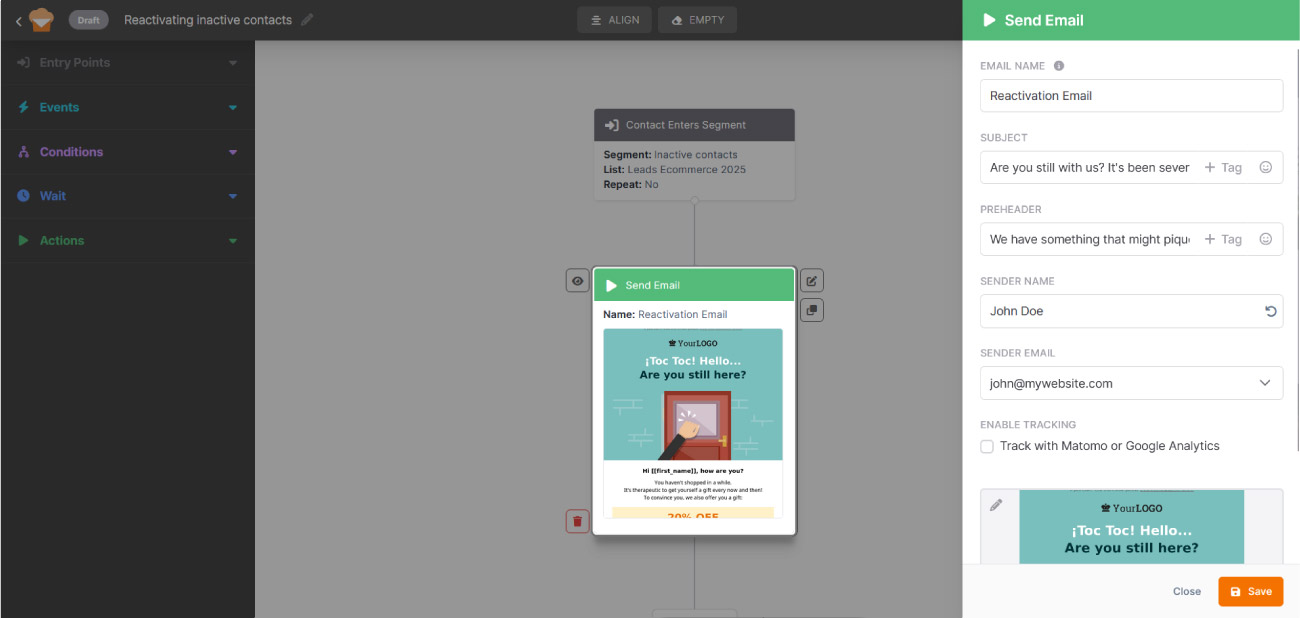
Fill in the details and select a template for the first reactivation attempt. The tone should be direct but not aggressive: a simple “Are you still with us?” paired with valuable content or an exclusive offer works better than a purely promotional message.

Event: message opened?

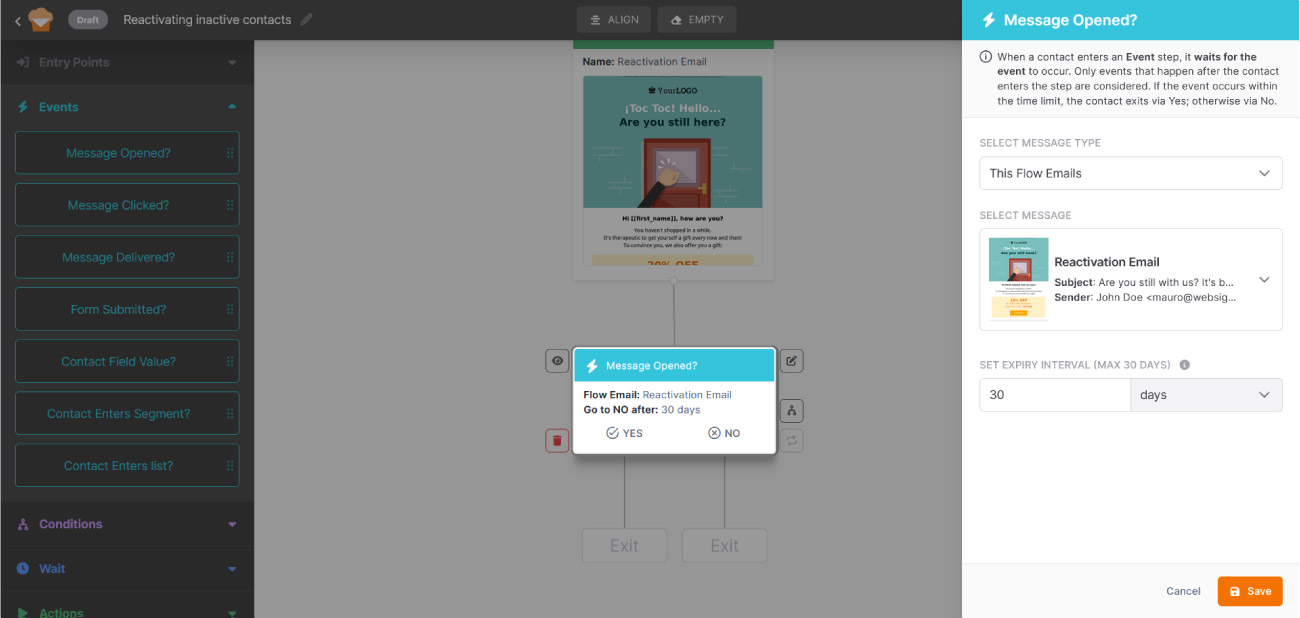
When a contact enters this step, the system waits for the event to occur within a time window you define. Only events that happen after the contact enters the step are considered. 

Select This flow emails as the message type and choose the re-engagement email sent in the previous step. Then set the wait interval: define how many days the contact has to open the email before being moved to the No branch. The maximum is 30 days. Click Save to confirm.

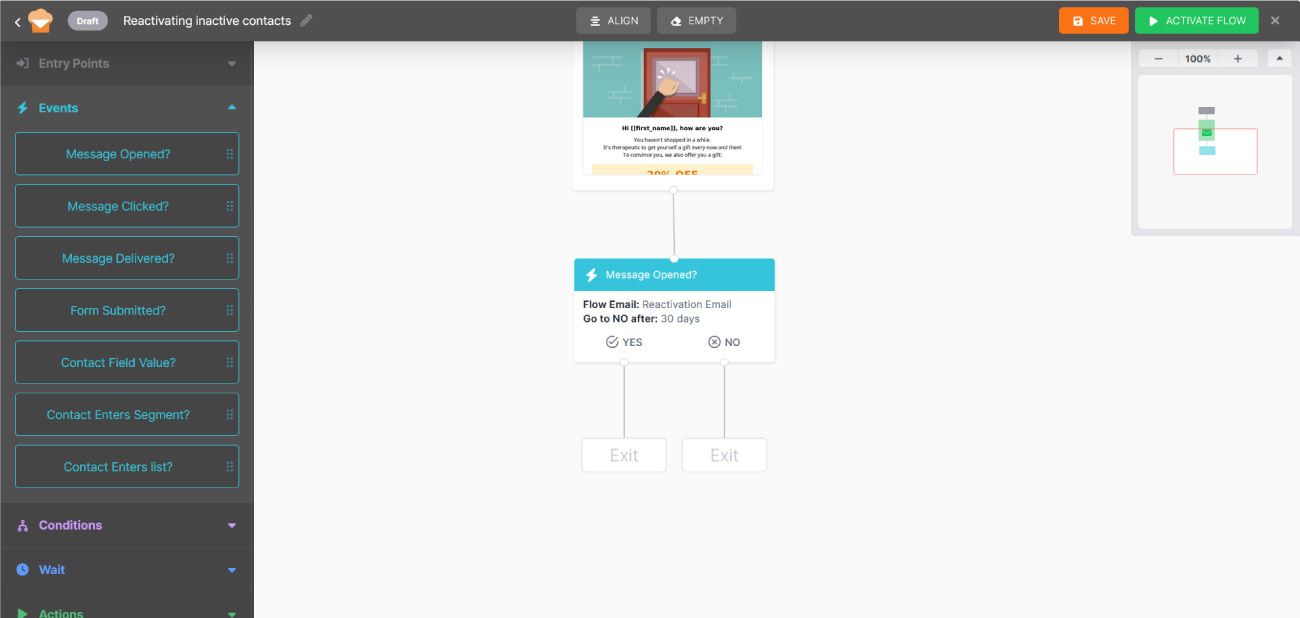
The flow splits into two paths:

  • Yes → the contact has re-engaged: the flow ends and the contact stays on the list.
  • No → the contact didn’t interact within the time limit: the flow continues.

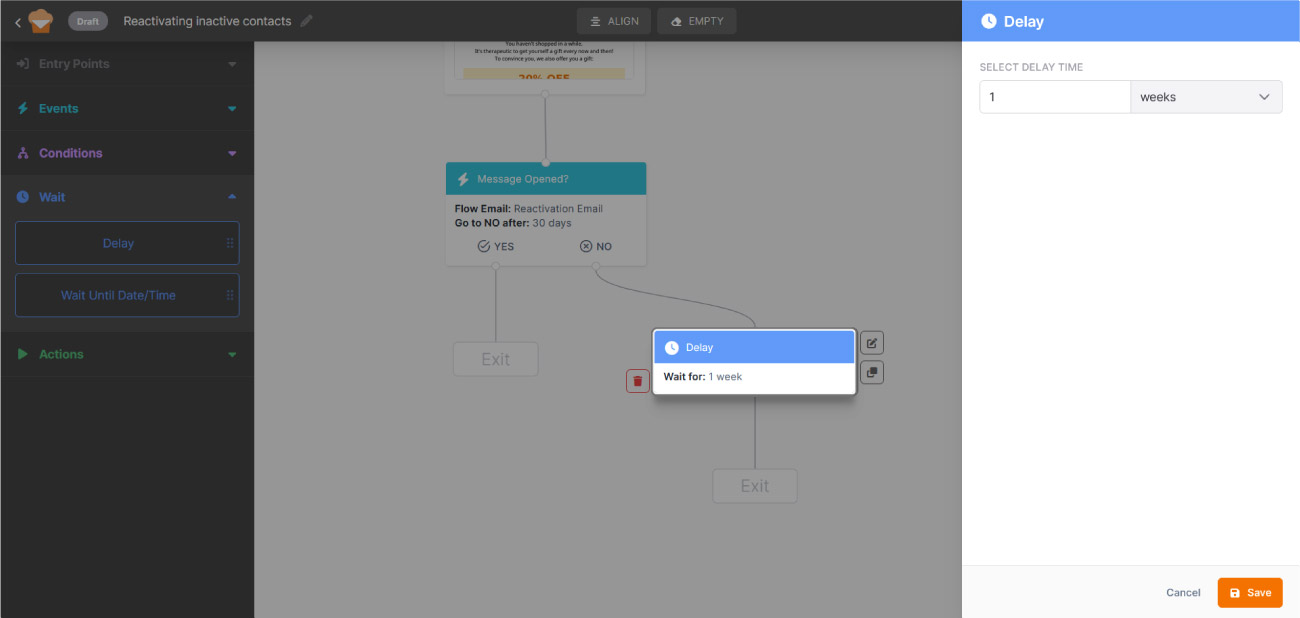
Wait: set a delay.

For the No branch, add a 7-day delay before the final attempt.

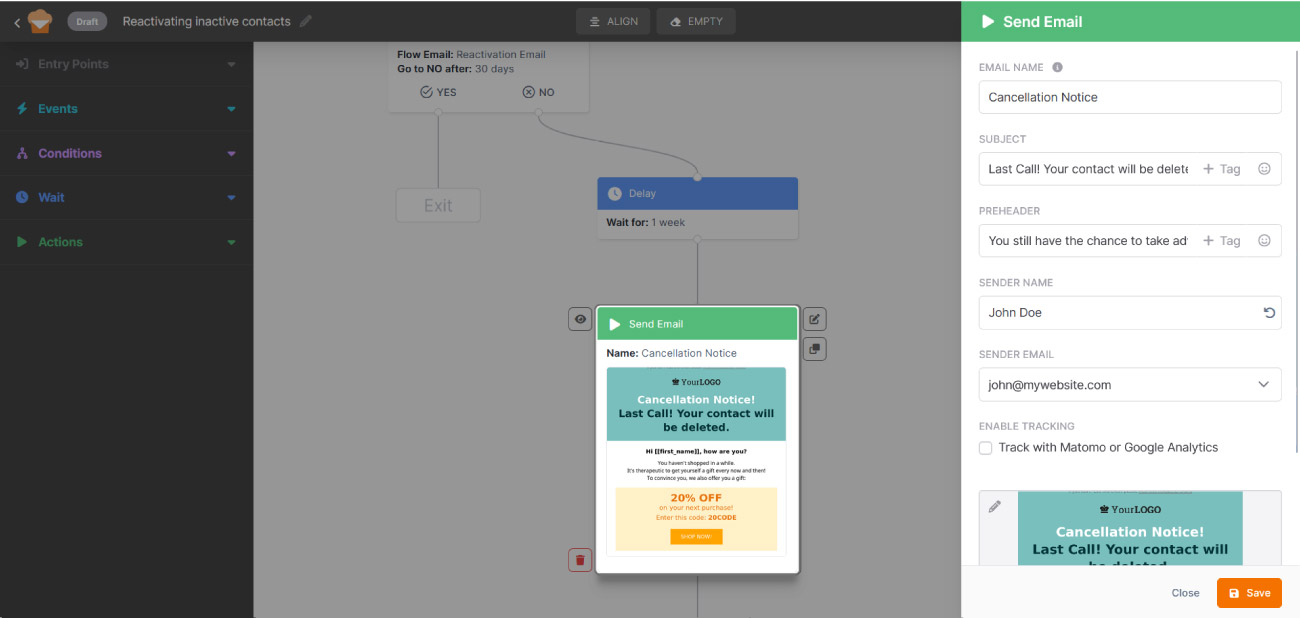
Action: send email.

Fill in the details and select a template for the last message. Clearly communicate that the contact will be unsubscribed if they don’t interact: transparency at this stage often increases open rates and helps keep your list clean.
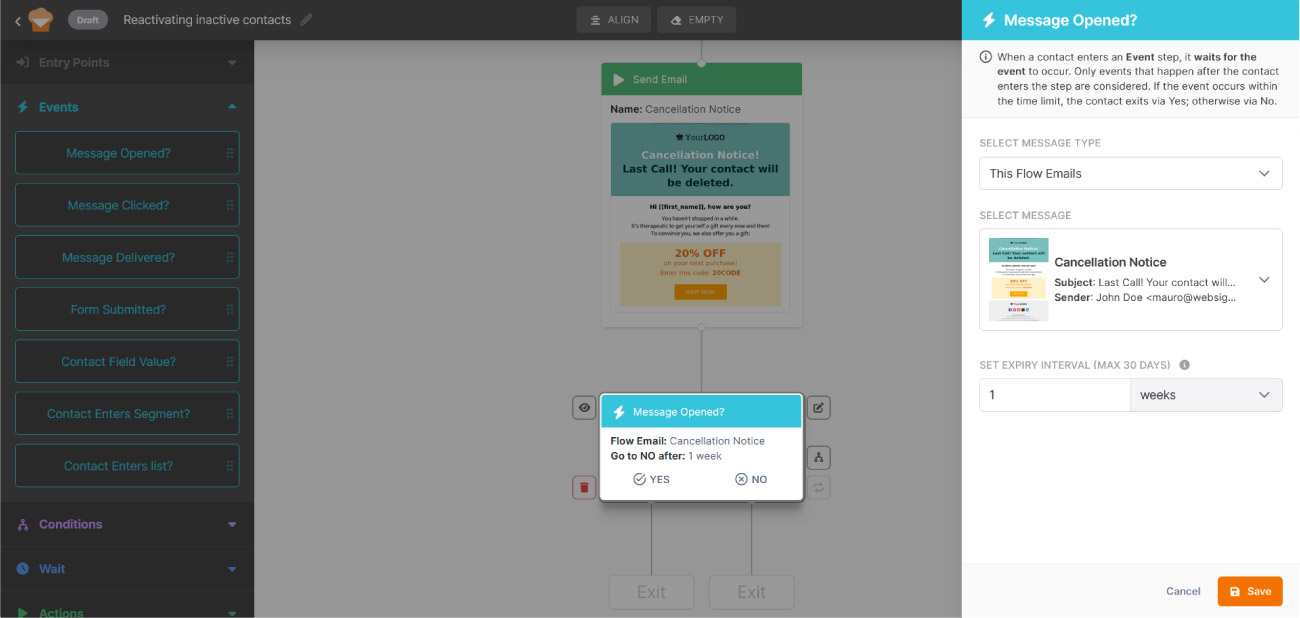
Event: message opened?

Set up a second event with the same configuration as the previous one. The flow splits again:

  • Yes → the contact stays on the list and the flow ends.
  • No → the flow continues to automatic unsubscription.

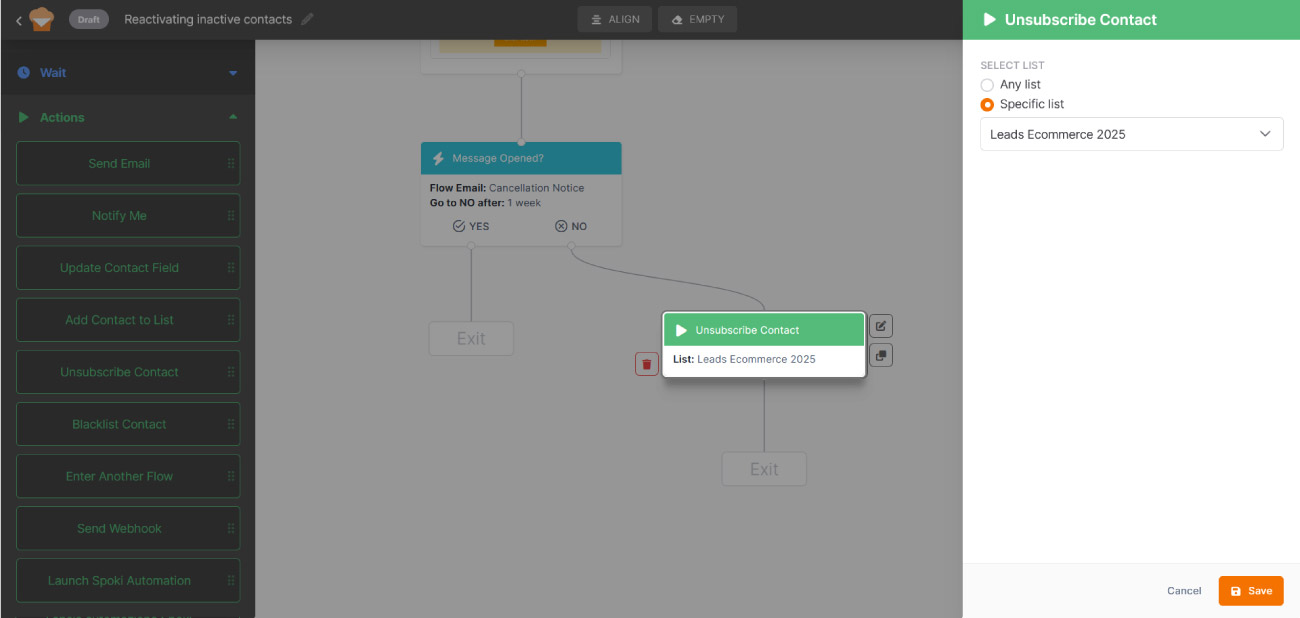
Action: unsubscribe contact.

Add the unsubscribe action to automatically remove from the list anyone who didn’t respond to either attempt. You can choose to unsubscribe them from all lists or just a specific one. Keeping your list clean improves deliverability and the overall quality of your campaigns.