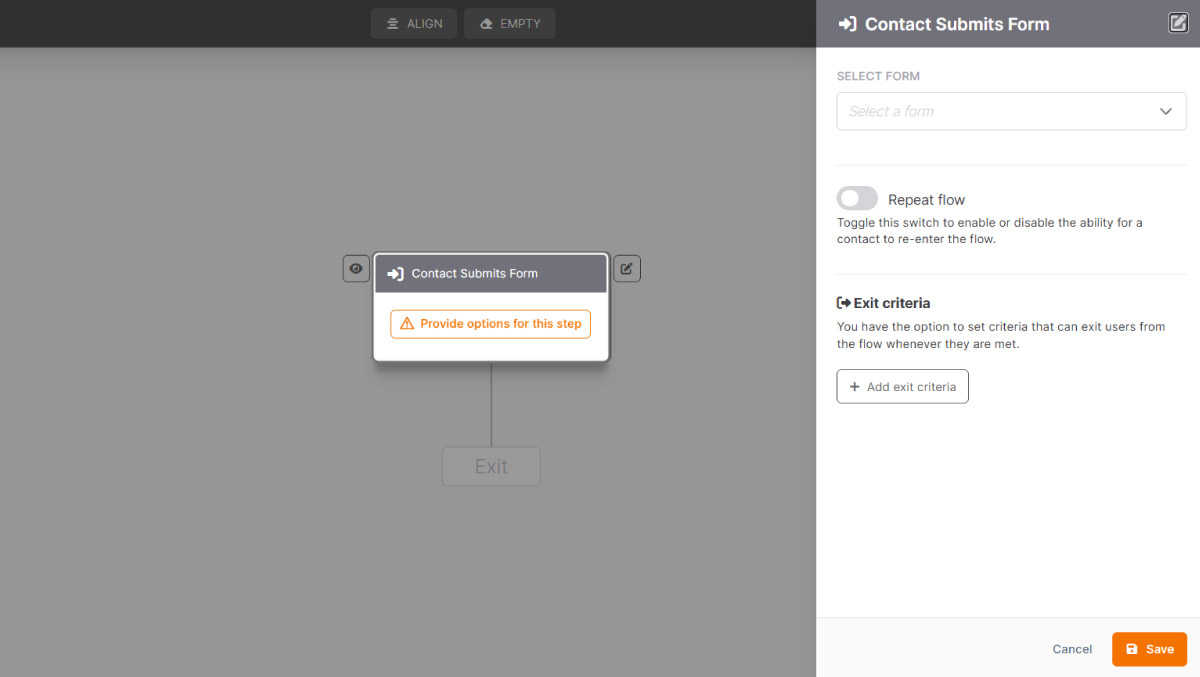
The Contact Submits Form entry point automatically starts a Flow the moment a contact fills out and submits a form.
This trigger is particularly useful for reaching new contacts at the exact moment they express their interest, for example when subscribing to a newsletter, requesting a demo, or downloading a piece of content. The Flow starts immediately, with no manual intervention required.
For example, you could set up a welcome sequence that kicks off as soon as someone submits a form on your website, sending an instant confirmation email followed by content designed to guide them through their first steps with your product or service.
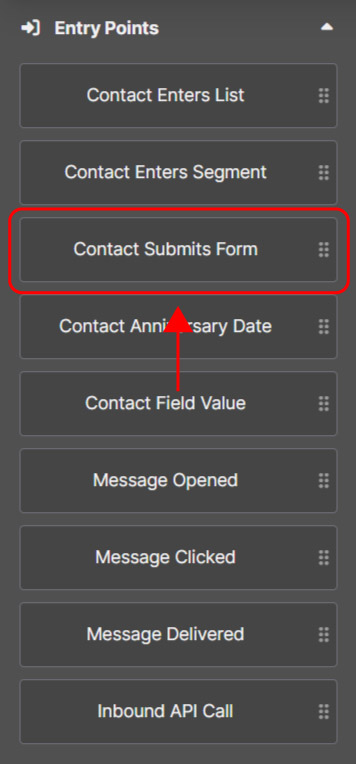
How to configure the "Contact Submits Form" trigger
1. Select the form
When setting the entry point, select the form you want to monitor. The Flow will trigger every time a contact fills it out and submits it.
2. Decide whether to enable "Repeat flow"
By default, a contact can only go through the Flow once. This means that once the sequence is completed, they won’t be able to re-enter it.
If you enable Repeat flow, that contact will be able to repeat the sequence every time they submit the form again.
3. Set exit criteria
If you wish, you can define exit criteria to stop the Flow when it’s no longer relevant for the contact. As soon as the condition is met, the contact immediately exits the Flow.